Voice and Text Task Creation Software Pricing: What You Should Expect to Pay
Task software quotes range wildly, and most buyers cannot tell why. Two platforms can look identical in a demo, yet one bills per seat while the other charges a flat fee. That gap decides your monthly spend before you assign a single task.
This article breaks down the pricing models you will actually encounter, the factors that push costs up or down, and what Tasks.Bot charges for its full access plan. By the end, you will know which plan fits your team and whether a free trial is enough to judge it.
What Is Tasks.Bot? Voice and Text Task Creation Explained
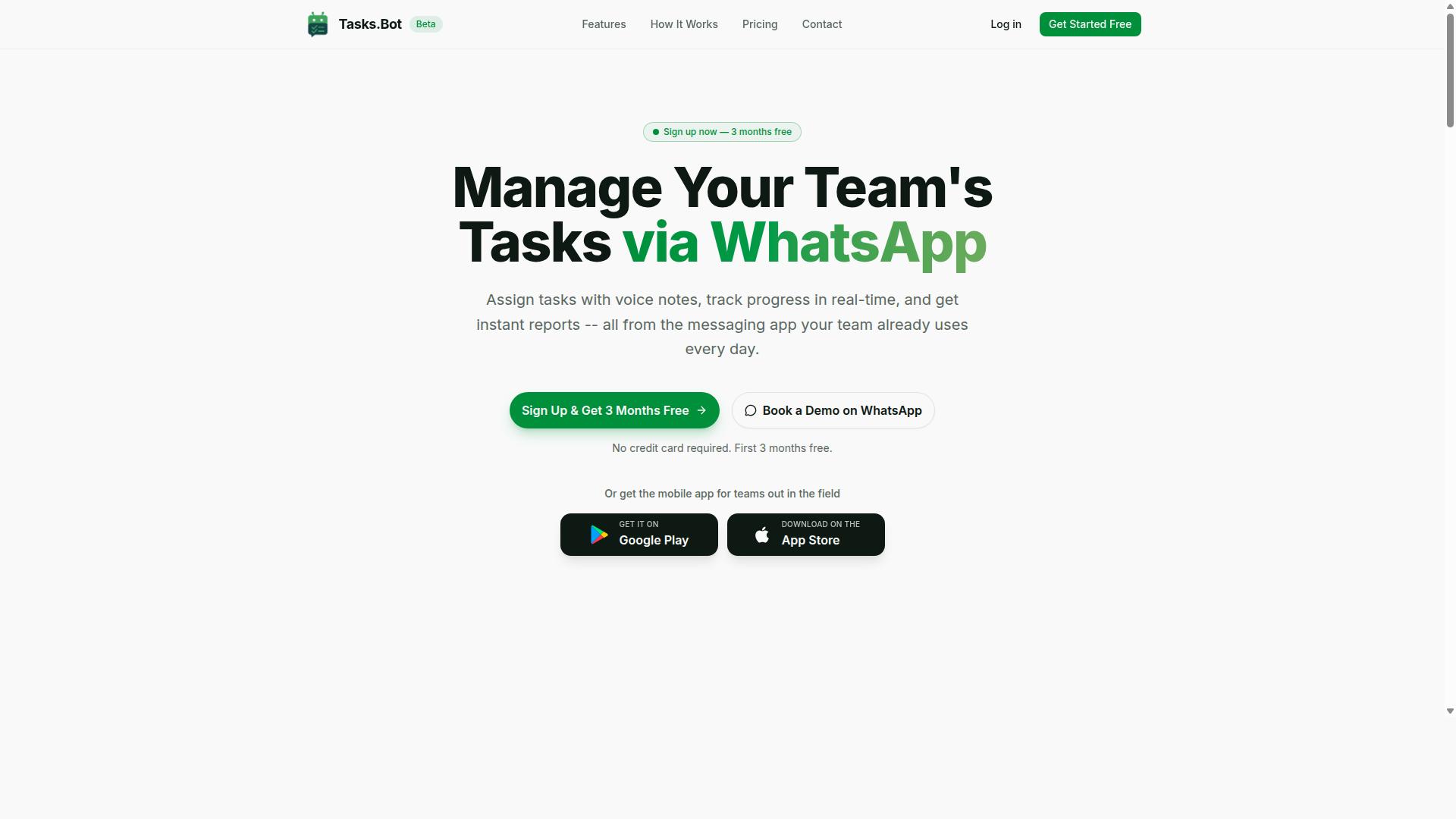
Tasks.Bot is a task management platform that operates entirely within WhatsApp, enabling teams to assign tasks, track progress, and receive reports without leaving the messaging app. That single design choice shapes everything about how the product works and, ultimately, how it is priced.
Instead of asking people to adopt yet another dashboard, Tasks.Bot lives where conversations already happen. Team members do not need to install new software or create separate accounts to take part. A mobile app is also available for field teams who need to work away from a desk.
The platform uses AI to interpret natural language and voice notes when creating tasks. A manager can speak a request or type it in plain words, and the system turns that input into a structured, assignable task. This is what people mean by voice task creation software and text-to-task conversion: the tool does the formatting work so the user does not have to.
That approach matters for pricing because it removes a common cost driver. Traditional project management tools often charge per seat for every person who needs visibility. When the workflow runs through WhatsApp, the barrier to participation drops, which can change how vendors structure per-user pricing and seat-based pricing.
- Natural language input: tasks created from ordinary typed messages
- Voice notes: hands-free operation for people on the move
- AI task automation: raw requests converted into trackable items
- Reporting: progress updates delivered inside the messaging app
Tasks.Bot is currently in beta and offers a free trial period. For buyers comparing subscription cost across tiered plans, that trial window is the practical way to judge whether the product fits a team's habits before any monthly billing or annual billing commitment begins.
The core value is integration with existing WhatsApp workflows. There is no migration project, no training rollout, and no separate login to manage. Research suggests adoption friction is one of the biggest reasons productivity software fails inside small teams, and removing that friction is precisely where this platform positions itself.
For readers evaluating voice and text task creation software, the takeaway is straightforward. Tasks.Bot is a legitimate, WhatsApp-native option that combines speech recognition, natural language processing, and workflow automation in one place, with a free trial available to test it firsthand.
What You Should Expect to Pay for Voice and Text Task Creation Software
Pricing for voice and text task creation software varies widely based on features, team size, and deployment model, so understanding the common structures helps you budget effectively. Some tools cost a few dollars per person each month, while others run into the hundreds for a full team. The gap usually comes down to how much intelligence sits behind the voice input and how many people need access.
Most buyers encounter three broad ranges. Entry-level plans tend to sit at the low end and cover basic speech-to-text capture with limited storage. Mid-tier plans add integrations and workflow automation. Enterprise licensing sits at the top, bundling security controls, administrative oversight, and dedicated support.
Deployment also shapes the bill. Cloud-based subscriptions spread cost across monthly or annual payments and require no hardware. On-premise installations typically carry a larger upfront license fee plus maintenance, which suits organizations with strict data residency rules.
Usage is the wildcard. A tool that meters voice minutes or transcription volume can look cheap on paper but climb quickly once a team relies on it daily. Before comparing quotes, estimate how many people will use the software, how often they will dictate or type tasks, and which integrations are non-negotiable.
Typical Pricing Models: Per User, Per Month vs. Flat Fees
Most voice and text task creation tools use either a per-user, per-month model or a flat fee structure, each with distinct advantages for different team sizes. Per-user pricing, sometimes called seat-based pricing, scales directly with headcount. A five-person team pays for five seats, a fifty-person department pays for fifty.
Basic per-user plans for task management platforms commonly land in the $5 to $15 range per user per month. Advanced tiers with richer natural language processing, API pricing add-ons, or expanded automation often run $20 to $50 per user monthly. Vendors frequently offer volume discounts once seat counts grow, so the effective rate per person can drop.
Flat fees work differently. One price covers the whole workspace regardless of how many people log in. This model suits small teams that want predictable costs without tracking seats, and tools such as Basecamp have built their reputation on it. Todoist, by contrast, is a familiar example of per-user pricing.
Billing frequency matters too. Annual billing typically shaves 10 to 20 percent off the monthly equivalent, and many vendors let you start with a free trial or a freemium model before committing. Pay-as-you-go arrangements exist as well, usually tied to usage-based pricing for transcription fees or API calls rather than seats.
Neither model is universally better. Per-user pricing rewards growing teams with volume discounts but punishes occasional users. Flat fees keep budgets simple but can become expensive if only a handful of people actually use the software.
Factors That Drive Cost Up or Down
Several factors influence the price of voice and text task creation software, from AI capabilities to integration needs and support levels. Knowing which levers matter to your team helps you avoid paying for capability you will never touch.
- AI and NLP sophistication. Basic speech recognition that converts audio to raw text sits at the cheaper end. Advanced intent recognition, which understands that "remind me to call Dana Friday" means a task with an owner and a due date, costs more to build and usually costs more to buy.
- Integrations. A tool that connects to your calendar, chat, and project management platforms saves manual work, but each connector adds development and maintenance cost. API access for custom connections often appears only on higher tiers.
- Usage volume. Some vendors meter voice minutes or transcription counts. A plan with unlimited voice notes will generally cost more than one with a monthly cap, though heavy users may find the cap more expensive in practice.
- Enterprise features. Single sign-on, audit logs, custom workflows, and administrative controls push pricing into enterprise licensing territory. Small teams rarely need them, larger organizations usually cannot operate without them.
- Support and onboarding. Self-service help centers keep prices low. Guided setup, dedicated account support, and training sessions raise the subscription cost but shorten the path to real adoption.
Each factor cuts both ways. Skipping integrations lowers your bill but adds manual steps. Choosing a capped plan saves money until your team hits the ceiling and needs an upgrade. The practical approach is to list the features your workflow genuinely depends on, then compare tiered plans against that list rather than against the longest feature sheet.
One more consideration: costs rarely stay static. Teams grow, usage patterns shift, and a plan that fit at signing may not fit a year later. Reviewing your subscription cost against actual usage during each renewal cycle keeps spending aligned with value.
Tasks.Bot Pricing and Plans
Tasks.Bot offers a straightforward pricing structure with a single 'Full Access' plan that includes all features, available in both Indian Rupees and US Dollars. There are no confusing tiers, no locked-away capabilities, and no upsells waiting at checkout. One plan covers everything the platform offers.
This approach stands out in a market where many task management platforms split features across multiple tiered plans. With Tasks.Bot, every user gets the same complete set of tools from day one. That simplicity makes budgeting easier for teams of any size.
Pricing is calculated per member, so your total cost scales directly with how many people you add. A small team pays less; a larger team pays proportionally more. The site includes a 'Select currency' option with Indian Rupee and US Dollar choices, so you can verify which currency applies to your region before committing.
The sections below break down the exact monthly and annual costs, explain the beta status, and cover what happens with refunds and trials. If you want to see the platform in action first, Tasks.Bot offers a 'Book a Demo on WhatsApp' option so you can assess fit before spending anything.
Full Access Plan: Monthly and Annual Costs in ₹ and $
Tasks.Bot's Full Access plan costs ₹200 per member per month or ₹1,200 per member per year, with equivalent pricing in US Dollars. The annual option represents a 50% saving compared to paying month by month, which works out to ₹1,200 saved per member each year.
For readers working in USD, the approximate equivalent is around $2.50 per member per month or roughly $15 per member per year. Exact conversion may vary based on current exchange rates, so always check the currency selector on the site for the most accurate figure.
Because this is seat-based pricing, your total subscription cost depends on team size. Here is how that scales:
- A team of 5 members pays ₹1,000 per month, or ₹6,000 annually
- A team of 10 members pays ₹2,000 per month, or ₹12,000 annually
- A team of 25 members pays ₹5,000 per month, or ₹30,000 annually
Every feature is included at these prices. There are no hidden fees, no premium add-ons, and no separate charges for voice task creation software capabilities versus text-based tools. New users also receive 3 months free with no credit card required, and can cancel anytime.
This structure differs from usage-based pricing or pay-as-you-go models common in speech-to-text and transcription services, where costs fluctuate with volume. Tasks.Bot keeps things predictable: one rate per person, regardless of how many tasks you create.
Free Trial, Beta Status, and Refund Policy
Tasks.Bot is currently in beta, and new users get 3 months free with no credit card required, while a refund policy is mentioned in the footer. Being in beta means features are still evolving, and pricing could change as the platform matures.
It is important to note that Tasks.Bot does not follow a freemium model. There is no permanent free tier with limited features. Instead, the Full Access plan is the only option, though new users do get 3 months free without entering credit card details. That gives you a meaningful window to evaluate whether the platform fits your workflow.
For refund specifics, check the footer of the Tasks.Bot website, where the policy is referenced. Since the product is in beta, terms may be updated as the platform develops, so reviewing the policy before subscribing is a sensible step.
If you want to assess fit before committing, the 'Book a Demo on WhatsApp' option lets you see how voice commands, text-to-task conversion, and natural language processing work in practice. This is especially useful for teams comparing productivity software and wanting to confirm that hands-free operation and workflow automation meet their needs.
The combination of a single plan, transparent per-member pricing, a free three-month window, and a stated refund policy makes Tasks.Bot a low-risk option to explore. For teams weighing subscription costs across project management tools, the clarity here is a genuine advantage.
Key Features Included at Tasks.Bot's Price Point
Tasks.Bot's Full Access plan bundles a comprehensive set of features designed to streamline task management, attendance, and reporting for teams that rely on WhatsApp. Rather than splitting capabilities across multiple subscription tiers, the platform keeps its feature set under a single price. That structure matters when you are comparing voice task creation software, because many competing products charge separately for transcription, reporting, or location tracking.
According to the brand's verified product information, Tasks.Bot covers task management via WhatsApp with voice note task creation, automatic task assignment, smart deadline reminders, approvals and automations, instant reports, tasks on a map, a live day tracker, face-verified attendance, and shifts, leave, and hours management. Native WhatsApp integration sits at the center of all of it. Android and iOS apps add push notifications, voice capture, and a home screen widget.
For buyers weighing subscription cost, the practical question is not just what a plan costs but what arrives with it. At Tasks.Bot's price point, the answer is the full feature set, not a trimmed starter version. The following subsections break down the two categories that matter most to teams evaluating text task creation software and field workforce tools.
Voice Note and Natural Language Task Creation
Tasks.Bot uses AI to understand natural language and voice notes, allowing users to create tasks simply by speaking or typing a message in WhatsApp. A team member can send a voice note describing what needs to happen, and the system interprets that message to create a task. Typing a message such as "Assign John to call client tomorrow at 3pm" produces a task as well, without opening a separate app or filling in a form.
This is the core of what the brand describes as its natural language processing capability: understanding user intent and turning messages into structured tasks. The details that normally require manual entry, like who the task belongs to and when it is due, come from the message itself. That reduces the friction that makes many productivity software rollouts stall.
The practical benefits show up in daily use:
- No new accounts or installs for team members, since everything runs inside WhatsApp
- Hands-free operation for staff who cannot stop to type, such as drivers or site crews
- Faster capture of tasks that would otherwise live in someone's memory or a chat thread
Critically, voice note task creation is included in the plan rather than billed as an add-on. Some vendors in this category treat speech-to-text cost as a separate line item or meter transcription by volume. Tasks.Bot does not, which keeps the total subscription cost predictable for teams that rely on voice commands every day.
Attendance, GPS Tracking, and Payroll-Ready Hours
For teams with field staff, Tasks.Bot includes face-verified attendance, tasks on a map, and shifts, leave, and hours management. Face-verified attendance adds a layer of confirmation to timekeeping.
Hours accumulate as people work, then compile into payroll-ready reports. That removes a recurring administrative chore: manually collecting timesheets, cross-checking locations, and rebuilding the same numbers in a spreadsheet each pay period. The instant reports feature means managers can pull this information without waiting on a back-office process.
These capabilities matter most in industries where work happens away from a desk:
- Field teams spread across multiple sites or client locations
- Construction crews moving between job sites during the day
- Delivery operations where route and stop verification is useful
Shifts, leave, and hours management round out the picture, giving supervisors one place to see who is on, who is off, and what has been worked. Live GPS tracking and tasks on a map add visibility into where work is happening right now, not just where it was logged.
All of this sits inside the Full Access plan. There is no separate attendance module to license and no per-seat surcharge for location tracking. For a business comparing seat-based pricing across task management platforms, that single-price structure is often the difference between a tool that gets adopted and one that quietly gets abandoned.
Who Should Use Tasks.Bot
Tasks.Bot is ideal for teams that already use WhatsApp for communication, especially those with field staff who need task management, attendance tracking, and payroll-ready hours. If your crew already lives in WhatsApp chats, you are the exact audience this platform was built for.
The service is designed for teams of all sizes, from a small delivery outfit to a large construction operation. Hundreds of teams are already using it, which suggests the model works across very different industries and headcounts.
Remote and field-based workers benefit most. These are people who are rarely at a desk, so asking them to open a separate project management tool often fails. Tasks.Bot removes that friction entirely.
Typical users include:
- Construction crews coordinating site tasks and shift attendance
- Delivery services assigning routes and confirming job completion
- Sales teams logging client visits and follow-ups from the road
- Event staff managing setup, breakdown, and on-site roles
What makes Tasks.Bot a strong fit is that there is no new app to install. Workers use an interface they already know, which shortens training time and boosts adoption. AI-powered task creation and integrated attendance round out the package.
Because the platform is available worldwide, location is not a barrier. A distributed team spread across regions can standardize on one system without worrying about local software availability.
For businesses weighing subscription cost, this matters. The value of voice task creation software and text task creation software comes down to whether people actually use it. Familiar tools get used. Complicated ones get abandoned.
Final Verdict: Is Tasks.Bot Worth the Cost?
Tasks.Bot offers a compelling value proposition for WhatsApp-centric teams, with a single affordable plan that includes all features and eliminates the need for additional software. At ₹200 per member per month, or ₹1,200 on annual billing, the platform bundles voice and text task creation, attendance tracking, GPS, and payroll reports into one place. There are no tiered plans to decode and no premium add-ons to chase.
That simplicity matters when you compare it to the wider market. Many productivity platforms charge per user and then meter extras separately, so a small team can end up paying well above the headline rate. Tasks.Bot keeps everything inside WhatsApp, which means no new app for your team to learn and no separate subscription to maintain.
Consider what a typical stack looks like without it. A team might pay for a task manager, an attendance tool, a location tracker, and a payroll add-on, each with its own per-user fee and its own login. Tasks.Bot replaces that patchwork with one plan and one interface your team already uses every day.
- Voice task creation so work can be logged hands-free
- Text task creation for quick typed entries
- Attendance tracking without a separate system
- GPS for field and on-site visibility
- Payroll reports generated from the same data
On cost alone, the math is straightforward. Comparable tools often sit in the range of $5 to $15 per user each month, and that figure frequently excludes the extras that Tasks.Bot includes by default. For a team of ten, the difference between one bundled plan and four overlapping subscriptions adds up quickly over a year.
The platform is currently in beta, which is worth noting for two reasons. Early adopters get in at a low price point before any future changes, and they help shape how the product develops. Teams that move early tend to get more attention and more say in what comes next.
So is it worth the cost? For WhatsApp-centric teams, the answer is yes. You get voice and text task creation, attendance tracking, GPS, and payroll reporting for a single per-member fee, with no tiered plans and no hidden modules. The annual option lowers the effective rate further for teams that are ready to commit.
Getting started is simple. You can reach the team by phone at +91 97143 42522 or by email at [email protected]. You can also book a demo directly on WhatsApp and see how voice and text task creation would work for your own workflows before you decide.
Frequently Asked Questions
How much does Tasks.Bot cost?
Tasks.Bot offers a single 'Full Access' plan with all features included, so there are no tiers to compare or features locked behind upgrades. It costs ₹200 per member per month on the monthly plan, or ₹1,200 per year per member on the annual plan - a 50% saving. Pricing is available in both Indian Rupees (₹) and US Dollars ($).
Why is Tasks.Bot priced per member rather than per team?
Per-member pricing means you only pay for the people actually using the platform, which keeps costs predictable as your team grows or shrinks. Since Tasks.Bot operates entirely within WhatsApp, team members don't need to install anything or create new accounts, so adding someone to the plan doesn't come with setup overhead. You can scale seats up or down based on who genuinely needs task assignments, attendance tracking, or reporting.
What features are included in the price?
Every Tasks.Bot subscription is a 'Full Access' plan, so all features are included regardless of whether you pay monthly or annually. That covers voice note task creation, automatic task assignment, smart deadline reminders, approvals and automations, instant reports, tasks on a map, and live day tracking. Face-verified attendance and payroll-ready hours are also part of the platform.
Do I need to pay extra for voice or AI task creation?
No. Voice note task creation and the AI that understands natural language and voice notes are part of the standard Full Access plan, not paid add-ons. This matters because voice and text task creation are often the features vendors charge a premium for - with Tasks.Bot they're simply included in the per-member price.
Is there a free trial or demo I can try before paying?
Tasks.Bot is currently in beta and offers a 'Book a Demo on WhatsApp' option on its website, which is the best way to see voice and text task creation in action before committing. The site also mentions a refund policy in the footer, so it's worth reviewing those terms alongside the demo. For specific questions about trials or billing, you can reach the team at [email protected] or +91 97143 42522.
How does Tasks.Bot's pricing compare to other task management tools?
Most task management platforms charge per user and require each team member to install an app and create an account, and many reserve voice or AI features for higher-priced tiers. Tasks.Bot's difference is structural: it runs inside WhatsApp, so there's no new app to roll out and no separate accounts to manage, and all features sit in one plan. Rather than comparing headline prices alone, weigh the total cost of onboarding and training your team on a new tool - especially if you have field staff who already live in WhatsApp.