CTR Tool Costs for High-Volume Bot Traffic: A Pricing Guide
You are about to spend real money on thousands of automated visits, and the pricing is rarely obvious upfront. Volume changes the math: credit consumption, desktop versus mobile rates, and failed visits that some tools still charge for can swing your total cost sharply.
This guide breaks down what high-volume bot traffic actually costs on CTRTool, how the credit model scales for large campaigns, and how Starter, Growth and Scale plans compare on visit capacity. You will also see which features protect your spend and whether the tool fits your volume.
What Is CTRTool? Campaign Types, Coverage and Who It Serves
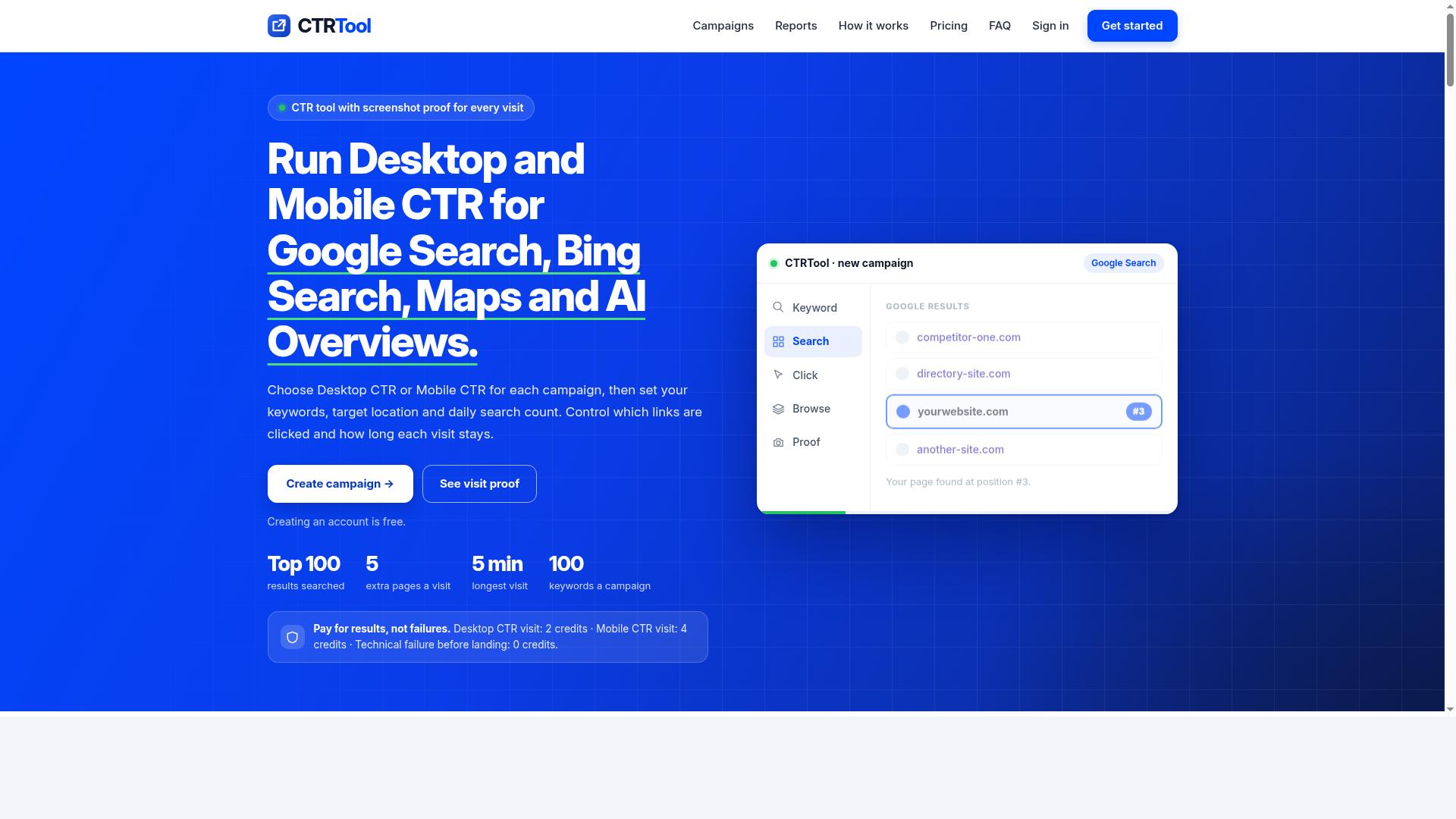
CTRTool is a CTR campaign tool that runs Desktop and Mobile click-through campaigns across Google Search, Bing Search, Google Maps and AI Overviews, with screenshot proof for every visit. In practice, it is automation software built for search practitioners who want to influence click-through rate signals on pages they already control or promote.
Every campaign produces screenshot proof for each visit, so results can be reviewed rather than taken on trust. The tool's own site is candid about limits, stating plainly that automated visits do not guarantee rankings. That framing matters for anyone evaluating the tool before comparing cost structures.
CTRTool covers four campaign types, each targeting a different surface of search:
- Google Search CTR: click-through campaigns aimed at standard organic results on Google.
- Bing Search CTR: the same campaign approach applied to Bing's organic results.
- Google Maps CTR: click campaigns directed at map and local listing results.
- AI Overviews: campaigns tied to AI Overview citations that match the target page.
Setup follows a consistent pattern per campaign. Users pick Desktop CTR or Mobile CTR, then set keywords, the target location and a daily search count. They also control which links are clicked and how long each visit stays, which gives campaign owners fine-grained command over visit behavior.
Eligibility rules keep campaigns tied to real, findable pages. For Google and Bing Search, the target URL must rank in the top 100 organic results for the chosen keyword. Maps campaigns work against up to 50 listings, and AI Overviews campaigns require a matching citation before a visit can be delivered.
The audience is straightforward: SEO practitioners and agencies running campaigns for their own sites or on behalf of client properties. Because each campaign is configured per keyword, device and location, the tool suits teams managing multiple targets at once rather than single-page experiments.
For high-volume bot traffic specifically, this structure is what drives cost later. Device choice, keyword count, daily search counts and visit duration all shape how many visits a campaign generates, and volume is the main variable that pricing models respond to. Understanding the campaign types first makes the pricing discussion that follows far easier to follow.
What High-Volume Bot Traffic Actually Costs on CTRTool
At high volume, CTRTool's cost is driven almost entirely by credits consumed per visit, so understanding the credit-to-visit ratio is the key to forecasting spend. The platform runs on a credit-based subscription, not a pay-per-click model. You pay a fixed monthly price for a credit pool, and each campaign visit draws from that pool.
This structure matters for anyone planning a large campaign. With a pay-per-click model, costs scale with every click and can spike without warning. CTRTool's subscription pricing keeps the plan price as the primary cost, so the main variable you control is how efficiently your credits translate into visits.
Every campaign visit consumes credits, and the number of credits per visit differs by device type. A Desktop visit and a Mobile visit do not draw the same amount from your pool. That single detail shapes the entire cost picture at volume.
The verified pricing lists no overage fees or hidden charges. Your monthly plan price is the number to budget around, with the credit-to-visit ratio determining how far that budget stretches. The two subsections below break down the credit model and the device cost gap in detail.
How the Credit Model Works for Large Campaigns
CTRTool sells monthly credit packs: Starter at $59 for 2,000 credits, Growth at $125 for 5,000 credits, and Scale at $399 for 20,000 credits, with each credit translating to a fraction of a visit depending on device. An Agency tier at $699 for 40,000 credits covers the largest operations.
The credit-to-visit math is straightforward once you know the ratio. Here is how each plan converts:
- Starter: 2,000 credits yield up to 1,000 Desktop visits or 500 Mobile visits
- Growth: 5,000 credits yield up to 2,500 Desktop visits or 1,250 Mobile visits
- Scale: 20,000 credits yield up to 10,000 Desktop visits or 5,000 Mobile visits
- Agency: 40,000 credits yield up to 20,000 Desktop visits or 10,000 Mobile visits
Run a worked example for a 10,000-visit campaign. At Desktop rates, a single Scale plan (20,000 credits, up to 10,000 Desktop visits) covers it exactly. At Mobile rates, the same 10,000 visits need 40,000 credits, which means the Agency tier or a combination of plans.
Two practical warnings for large campaigns. First, unused credits roll over while your subscription is active but expire when cancellation takes effect, so stockpiling has limits. Second, do not assume credits are interchangeable across device types. Check the ratio before you commit to a plan size.
Desktop vs Mobile CTR: The Real Cost Difference at Volume
Desktop CTR visits cost half as many credits as Mobile CTR visits on CTRTool, so a campaign split 50/50 between devices will consume 1.5x the credits of an all-Desktop campaign for the same total visit count. The verified ratio confirms it: Desktop visits use 2 credits each, Mobile visits use 4.
Translate that into effective cost per visit at each tier:
| Plan | Monthly Price | Desktop Cost per Visit | Mobile Cost per Visit |
|---|---|---|---|
| Starter | $59 | $0.059 | $0.118 |
| Scale | $399 | $0.0399 | $0.0798 |
The pattern is clear. Moving up the tiered pricing ladder lowers your per-visit cost, and Mobile always sits at roughly double the Desktop rate. At high volume, that gap becomes the largest single factor in your monthly spend.
Model your device mix before choosing a plan. If your target keywords are mobile-first, Mobile campaigns may be necessary to reach the right audience, but budget them at double the credit rate. A quick spreadsheet with your expected Desktop and Mobile visit counts against each tier will show which plan fits without wasted credits.
For teams running high-volume traffic, the takeaway is simple: CTRTool's cost structure is predictable and transparent. Pick the plan that matches your device mix, account for the 2-versus-4 credit split, and the monthly price tells you almost everything you need to know.
CTRTool Pricing and Plans: Matching Plan Size to Traffic Volume
CTRTool offers three monthly subscription tiers-Starter, Growth and Scale-each defined by a credit allowance that maps to a maximum number of Desktop or Mobile visits. All plans are billed monthly in USD, and the price you see is the price you pay.
| Plan | Price (USD/month) | Credits | Desktop Visit Cap | Mobile Visit Cap |
|---|---|---|---|---|
| Starter | $59 | 2,000 | 1,000 | 500 |
| Growth | $125 | 5,000 | 2,500 | 1,250 |
| Scale | $399 | 20,000 | 10,000 | 5,000 |
The core cost structure is simple. A Desktop CTR visit consumes 2 credits and a Mobile CTR visit consumes 4 credits, so your effective capacity depends on the device mix you run.
Plan selection should be driven by your target monthly visit volume and device split, not by feature gating. The feature set appears consistent across tiers, which means you are paying for capacity rather than unlocking functionality. A campaign built around mobile-heavy traffic will exhaust credits roughly twice as fast as a desktop-only equivalent at the same visit count.
Creating an account is free, so you can inspect the dashboard and campaign options before committing to a paid tier. The sections below compare capacity in detail and clarify what CTRTool does not charge for.
Starter, Growth and Scale: Credits and Visit Capacity Compared
Starter supports up to 1,000 Desktop or 500 Mobile visits per month, Growth doubles that to 2,500 Desktop or 1,250 Mobile, and Scale reaches 10,000 Desktop or 5,000 Mobile visits. The table below converts each allowance into an effective cost per visit.
| Plan | Price | Cost per Desktop Visit | Cost per Mobile Visit |
|---|---|---|---|
| Starter | $59 | $0.059 | $0.118 |
| Growth | $125 | $0.050 | $0.100 |
| Scale | $399 | $0.0399 | $0.0798 |
The per-visit cost drops only marginally as you scale up. Moving from Starter to Growth saves about a cent per Desktop visit, while Growth to Scale saves a fraction of a cent. The real value of the larger tiers is headroom, not a dramatic unit-price discount.
That shapes a practical decision rule. If your monthly Desktop visit target exceeds 2,500, Growth cannot hold it, so choose Scale. If your target sits under 1,000 Desktop visits, Starter is sufficient and there is no reason to overpay for unused capacity.
Two operational notes matter for budgeting. Credits are consumed per visit, and unused credits roll over while your subscription stays active, expiring only when cancellation takes effect. One balance covers all campaigns, with support for up to 100 campaigns and 100 keywords per campaign, so a single plan size can serve several projects at once.
Growth carries a Recommended label, which suits mid-volume users whose Desktop targets land between roughly 1,000 and 2,500 visits. For anyone running sustained high-volume traffic simulation, Scale is the default choice.
What You Don't Pay For: No Charges on Technical Failures
CTRTool does not charge credits for visits that fail to complete due to technical issues such as the target page being unreachable or the keyword not appearing in the top 100 results. The billing model separates genuine delivery from setup mistakes.
The specific no-charge conditions are worth knowing before you launch:
- Out-of-range keywords: if the page is not found in the top 100 organic results for the chosen keyword and location, the visit is not counted.
- Maps campaigns: if the listing cannot be located within the first 50 results (about five pages), no charge applies.
- Technical failure before landing: a visit that breaks down before reaching the page costs 0 credits.
- Verified search without a match: this case consumes 1 credit, so it is a partial charge rather than a free attempt.
There are no overage fees. If you exhaust your credits, you either upgrade to the next tier or wait for the next billing cycle. No hidden charges are mentioned beyond the monthly subscription, and custom development is quoted separately as an agreed one-time fee.
Even though failed visits are not billed, verify your rankings before launching large campaigns. A page sitting outside the top 100 will burn setup time and campaign configuration effort without producing any countable traffic, and that wasted effort is the real cost of a misconfigured launch.
Key Features That Protect Your Spend at High Volume
At high volume, the features that matter most are the ones that let you verify every visit and detect problems before they drain your credit balance. A cheap rate per visit means little if you cannot confirm that visits actually happened as ordered. Spend protection starts with evidence.
CTRTool's design reflects this. Its pay-for-results credit model means no credits are charged for technical failures that occur before landing, and visits that cannot verify the requested location use no credits. That structure removes much of the risk that usually comes with high-volume traffic purchases.
Proof features are not just reporting niceties. They are how you confirm that credits are producing real, traceable visits. With them, you can audit campaigns mid-flight and pause or adjust if something looks wrong, rather than discovering an issue after the budget is gone.
This matters even more when you factor in bot traffic and invalid traffic. The ability to check a sample of visits against screenshots and visit paths gives you a practical way to judge quality. The next section details the specific proof and tracking tools CTRTool provides.
Screenshot Proof, Full Visit Paths and Position Tracking
Every CTRTool visit generates separate search and landing screenshots as proof, along with a full visit path. The search screenshot captures the keyword in context and the listing position at the moment of the click. The landing screenshot confirms the destination page actually loaded.
Because the two images are kept separate, you get a clear before-and-after record of each visit. That makes spot-checking simple. You can pull a sample of visits and confirm that credits are being used as intended, without reviewing every single one.
Full visit paths add the thread that ties it together. You can trace from keyword to click to landing page, which turns a vague claim of traffic into an auditable sequence of events. For teams running a high-volume campaign, that traceability is what separates a controlled spend from a hopeful one.
Position tracking over time extends the picture further. CTRTool tracks keyword positions, including Maps listing order and AI citation order. This lets you see whether campaigns are influencing visibility, and you can correlate position changes with campaign activity instead of guessing at cause and effect.
These artifacts work together as a spend-protection system:
- Search and landing screenshots verify that each visit occurred and landed correctly
- Full visit paths let you trace keyword to click to destination page
- Position tracking over time shows movement in standard results, Maps listing order, and AI citation order
- Mid-flight auditing lets you pause or adjust before credits are wasted
The result is a practical audit loop. You check a sample, compare positions against campaign timing, and act on what you find. At high volume, that loop is what keeps the cost structure honest and the credit balance working as planned.
Who Should Use CTRTool for High-Volume Campaigns
CTRTool is built for SEO practitioners and agencies running CTR campaigns for their own or client websites across Google Search, Bing Search, Google Maps and AI Overviews. It is a focused tool for people who treat click-through rate as a measurable ranking input, not a one-off experiment.
That means the ideal user is someone with repeatable, forecastable volume and a clear reason to track results over time. Below are the profiles that fit the platform best.
Agencies managing multiple client campaigns. Agencies need proof, not just activity. Screenshot evidence of campaign activity supports client reporting and helps justify the spend on each account. When you run campaigns for several clients at once, the credit model lets you plan per-account volume and keep the cost structure predictable across the portfolio.
In-house SEO teams testing CTR impact on rankings at scale. A single test tells you little. Teams that want to understand how click-through rate interacts with rankings need sustained volume across many pages and queries. CTRTool supports that kind of scale testing, and the site's guidance mentions using tier links, PBNs and test properties as part of a campaign setup.
Specialists running Maps or AI Overview visibility campaigns. Local and AI-driven surfaces behave differently from classic organic results. Practitioners who focus on Google Maps or AI Overviews visibility need a tool that covers those surfaces directly, which CTRTool does alongside Google Search and Bing Search.
The credit model suits teams that can forecast monthly visit volume and device mix in advance. If you know roughly how many visits you need and how they should split between devices, you can map that onto credits and avoid surprise overage. Teams that cannot estimate volume will find the model harder to plan around.
CTRTool is global in reach. Campaigns can target a chosen country, state and city, or select "Any country" for a mixed geographic spread. That flexibility matters for agencies serving clients in different markets, and for teams testing whether location signals change results.
One caution: this is not a tool for casual users who want a handful of visits. The lowest plan starts at $59 for 2,000 credits, so the entry point assumes you have real volume to run. If your need is a few dozen clicks for a quick check, the subscription pricing will not make sense.
For the right user, though, the fit is clear. Agencies, in-house teams and Maps or AI Overview specialists all share the same traits: ongoing campaigns, measurable goals and a volume forecast they can plan against. CTRTool is designed around exactly that kind of work.
Final Verdict: Is CTRTool Worth the Cost for High-Volume Bot Traffic?
For teams that need traceable, screenshot-backed CTR campaigns at scale, CTRTool's credit-based pricing is predictable and the proof features justify the spend; for small tests, the entry price may be steep. The tool is built for buyers who treat click-through rate as a measurable lever, not a one-off experiment.
Across the plans, effective per-visit costs land in the $0.05 to $0.12 range, varying by plan and device type. The Scale tier carries the lowest per-visit rate, which is exactly what a high-volume traffic operation should care about.
That spread matters because volume changes the math. At low volume, a per-visit difference of a few cents barely registers. At high volume, the same gap compounds across thousands of visits, so plan selection becomes the single biggest cost decision.
The core question is whether screenshot proof and position tracking earn their place in the budget. For campaigns where clients, stakeholders, or internal teams need to see that a click actually happened, those proof features remove a real layer of doubt.
Without that evidence, high-volume bot traffic is hard to audit. You are paying for clicks you cannot easily verify. CTRTool's screenshot-backed records turn that into something you can review and report on.
- Screenshot proof gives you a record of each delivered visit.
- Position tracking shows where the campaign stood in search results.
- Credit-based billing keeps spend tied to usage rather than flat fees.
Weigh those against the subscription cost honestly. If proof is central to how you report results, the spend is easy to defend. If you only need raw volume with no audit trail, the value case is weaker.
Plan fit depends heavily on device mix and campaign size. The guidance below reflects the per-visit economics rather than any promotional offer.
| Scenario | Recommended Plan | Why |
|---|---|---|
| High-volume Desktop campaigns | Scale | Lowest per-visit rate across the range |
| Moderate Mobile campaigns | Growth | Balances cost against lighter volume |
| Small tests | Entry level | Entry price can feel steep for limited runs |
For high-volume Desktop work, Scale is the clear recommendation because the per-visit rate is the strongest lever on total cost. For moderate Mobile campaigns, Growth keeps spend proportionate to volume instead of overbuying capacity.
Small tests sit in a different category. The entry price is the main hurdle there, and the proof features matter less when you are running a short, low-volume check. Budget accordingly rather than defaulting to the biggest plan.
CTRTool is a strong fit when traceable, screenshot-backed campaigns at scale are the goal. The cost structure rewards volume, and the proof features give the spend a defensible purpose. Teams running high-volume Desktop work should look first at Scale, while moderate Mobile campaigns fit Growth more naturally.
Small tests are the exception. The entry price may be steep relative to what a short run delivers, so treat those as a trial of the workflow rather than a cost-efficient production setup.
For pre-sales questions about plan sizing, the listed support contact is vaibhav@autoblogging.ai. Asking about your expected volume and device mix before committing is the practical way to land on the right tier.
The verdict is clear: for serious high-volume campaigns, CTRTool's pricing is predictable and its proof features justify the cost. Match the plan to your volume, and the per-visit economics work in your favor.
Frequently Asked Questions
How does CTRTool's credit system work for high-volume bot traffic?
CTRTool uses a pay-for-results credit model: you buy a monthly plan and credits are consumed as visits are delivered, so you only spend on campaigns that actually run. The Starter plan is $59/month for 2,000 credits, and the Growth plan is $125/month for 5,000 credits. Because Desktop and Mobile visits consume credits at different rates (for example, 2,000 credits cover up to 1,000 Desktop CTR visits or 500 Mobile CTR visits), estimate your monthly visit volume per device type before choosing a plan.
Which campaign types can I run at high volume with CTRTool?
CTRTool runs Desktop and Mobile CTR campaigns across Google Search, Bing Search, Google Maps and AI Overviews. For search campaigns you set keywords and the tool clicks your organic result within the Top 100 results for your chosen keyword and location; Maps campaigns check up to 50 listings (about five pages), and AI Overview campaigns require a matching source link. You choose Desktop CTR or Mobile CTR per campaign and can target a country, optionally a state and city, or "Any country."
What proof do I get that high-volume visits actually happened?
Every CTRTool visit includes screenshot proof, with search and landing screenshots provided as separate proof images. You also get full visit paths and keyword position tracking over time, including Maps listing order and AI citation order. This makes it easier to audit large campaigns and show clients exactly what was delivered.
Is there a plan sized for very large campaigns, and can I change plans later?
CTRTool's published plans are monthly: Starter at $59/month for 2,000 credits and Growth at $125/month for 5,000 credits, with larger volumes achieved by scaling visit types and campaigns accordingly. If your needs change, you can move between the listed monthly plans rather than committing to an annual contract. For specific high-volume requirements beyond the published plans, contact support at vaibhav@autoblogging.ai to confirm what's possible.
How do I keep costs predictable when running bot traffic at scale?
Start by calculating credits per visit for your chosen device type-Desktop visits use fewer credits than Mobile visits-then match your target monthly visits to the Starter or Growth plan. Because credits are tied to delivered results, track campaign performance using the keyword position history and visit paths CTRTool provides, and pause underperforming keywords so credits go to campaigns that matter. Targeting a specific country, state and city also helps avoid wasting volume on irrelevant locations.
Who is CTRTool designed for, and is it available in my country?
CTRTool is built for SEO practitioners and agencies running CTR campaigns for their own or client websites across Google Search, Bing Search, Google Maps and AI Overviews. It's a global online service with no stated country restrictions, and campaigns can target a chosen country and optionally a state and city, or "Any country" to use a mix of supported locations. You can create an account and review terms on ctrtool.com.